
Business QR Code Payment vs Cash Float: What Should Branch Managers Use?
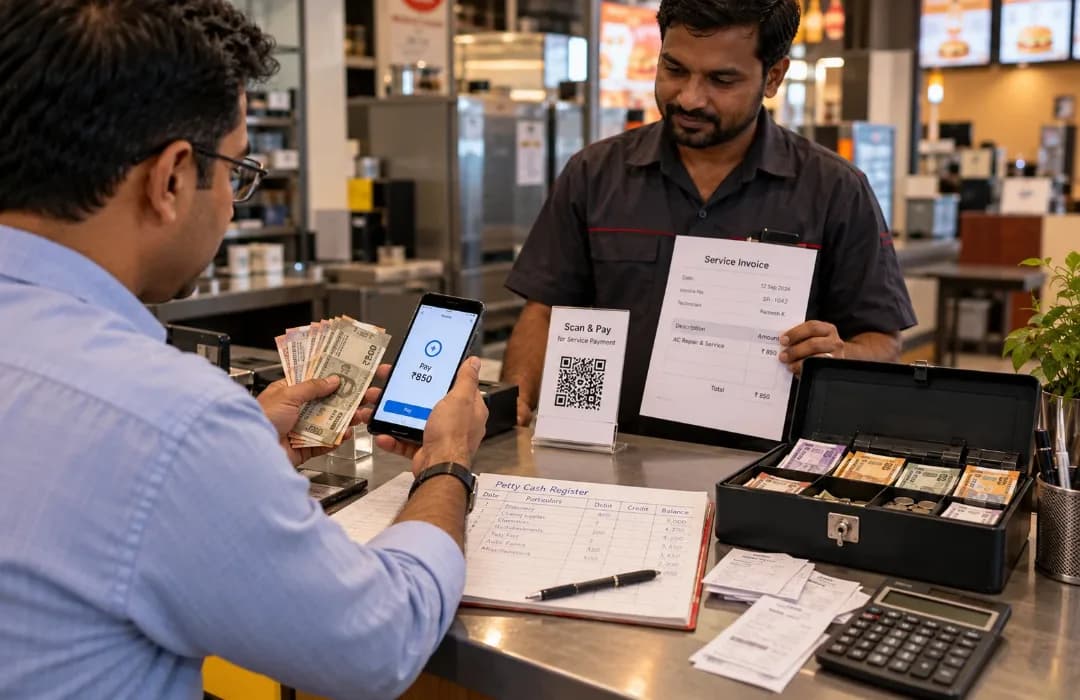
Cash floats are frequently given to branch managers for small, day-to-day items like purchases, repairs and vendor payments. For example, a branch may need to pay for a minor repair, emergency stationery purchase, local service payment or small vendor expense. The model is straightforward, but the administration is often less so. After all, cash must be dispersed, monitored, vouchered and reconciled at a later date.
For businesses, the transition from cash to digital payments isn't just about convenience. Finance teams still have to determine who spent the money, how much was spent, what it was spent on and where it should be accounted for.
That means the decision between a cash float and a business QR code payment is about which method lets the branch operate efficiently while giving Finance sufficient visibility and control over the spend.
Why Branch-Level Spending Is Hard to Control
There are times when branch or site teams have to deal with costs that are too small or too urgent to go through a lengthy procurement process. A store may need minor electrical repairs. Stationery can be an urgent need for an office. A site may have to pay a local service provider. A branch may also need to arrange local transport, emergency supplies, minor maintenance or other small operational purchases. These are all valid operating costs, and they can’t go unmonitored.
These payments can be made using cash floats, which can be operationally convenient for immediate expenses. However, they require a separate administrative process for the finance team. So, it's not just about the way to pay. It's how finance maintains control through documentation, reconciliation and accountability around the payment.
Cash Float vs Business QR Code Payment
Both options can assist branch teams with day-to-day expenses. The difference lies in what happens around the payment. Cash can solve an immediate payment need, but it creates administrative work around documentation and reconciliation.
A business QR code payment can digitise the payment trail while still requiring appropriate business controls. Take a look at the table below to see other differences:
Cash Float | Business QR Code Payment |
Physical cash is held at each location | Payment is made digitally |
Vouchers and receipts need to be collected | Transaction creates a digital payment record |
Finance may need to reconcile cash manually | Spending can be tracked through digital records |
Cash needs to be replenished | Funds can be managed through defined digital controls, depending on the controls configured |
Responsibility rests on the person handling the float | Transactions can be linked to authorised users |
Cash may remain idle between purchases | Funds can be accessed when an eligible expense arises, subject to the configured controls |
Cash may remain relevant where a merchant does not accept digital payments, connectivity is unavailable, or the nature of the expense genuinely requires cash.
Where Cash Floats Create Operational Issues
While cash floats can be convenient for spending at branch level, it can often be at the expense of additional workload for finance. The branch gets immediate access to money, but finance subsequently has to chase documentation, verify expenditure and reconcile balances. When cash is transferred between locations, teams must keep track of balances, gather supporting documents and reconcile cash expenditures post-hoc.
As a business grows, it becomes increasingly difficult to keep track of and control small, frequent cash transactions. What works for one branch can become a significant administrative burden when the same process is repeated across dozens or hundreds of locations. Some key operational issues include:
Idle Cash Across Locations
A company that has several branches can have cash stored in each of them, even if it is not in use at the time. The bigger the network, the more money can be spread out in the branches rather than being centrally visible or usable. This can also make it harder for Finance to understand the organisation's actual available or committed spends at any given point.
Missing or Delayed Vouchers
Physical documentation is critical to cash transactions. Without a receipt, Finance may need additional verification and follow-up to establish the details of the purchase. Delayed vouchers can also cause a delay in reconciliation.
Difficulty Tracking Who Spent What
A cash withdrawal is not as transparent as a digital payment. Finance may be aware that ₹5,000 was disbursed to a branch manager, but may need to check the vouchers to see how the money was spent. With a controlled digital payment, the transaction can be associated with the authorised user at the point of payment.
Manual Reconciliation
Branch teams may have cash registers, collect receipts and submit expense statements. Later, finance must review these records and clear up any discrepancies. This can be a major administrative task at the end of the month when it occurs at numerous sites.
Handling and Replenishment Risks
Cash needs to be stored, counted and replenished. Branches may also have to request additional funds when the float is low, while finance needs to process or review those requests and maintain balances across locations. This adds another layer of dependency to the operation.
How Business QR Code Payments Improve Expense Control
By moving the transaction itself into a digital payment trail, QR payments have some advantages. However, the broader workflow depends on the spend-management solution and controls around it.
Creates a Digital Payment Trail
Since the payment is captured digitally, it creates a transaction record that can also include payment details and timing. Finance can use this data to track expenses. This reduces the need to reconstruct the transaction later from cash vouchers and statements.
Reduces Dependence on Personal UPI
A popular cashless option these days is to have employees pay out of their own UPI and then reimburse them later. While this solves the immediate payment problem, it shifts the administrative burden.
Finance still needs to verify the expense, process the reimbursement and reconcile the transaction. A controlled business UPI payment mechanism keeps the expense within the organisation's spending process from the outset, rather than moving it into a reimbursement workflow after the purchase.
Supports Controlled Employee Spending
UPI for business should not mean unrestricted access to company funds. Finance can establish who is authorised to spend and define appropriate limits. Depending on the setup, controls can also include merchant or spend-category restrictions and approval controls. This balances flexibility with spend control.
Improves Reconciliation
When transactions are captured digitally, Finance has less information to reconstruct after the fact. With digital transactions, it is no longer necessary to match a cash withdrawal to a collection of receipts.
Provides Better Branch-Level Visibility
Digital records can help Finance understand spending across individual branches and categories. This makes it easier to identify unusual spending, compare branch expenses and understand where budgets are being used.
How Zaggle Enables Controlled QR-Based Business Payments
Zaggle's UPI-based branch recurring expenses solution, enabled through the Zaggle App, allows authorised employees and branch teams to make QR payments for legitimate business expenses.
Thus, QR payment does not have to rely on an employee's personal UPI account. The business expense can remain within a controlled spending framework. This gives branches the convenience of QR-based payments while allowing finance teams to maintain visibility and manage spending. For everyday expenses, this provides a more structured alternative to maintaining physical cash floats or relying on employee reimbursements.
Real Impact: How Ramelex Moved from Cash to QR-Led Site Payments
Managing payments across multiple project sites created a practical challenge for Ramelex. Cash couriers had to carry and distribute funds, while Finance teams had limited visibility into how money was being spent.
Ramelex moved to QR-led site payments with Zaggle, giving authorised teams a digital way to make payments while reducing dependence on physical cash. The shift helped Ramelex achieve:
90% faster reconciliation
Reduced cash leakages
Better real-time visibility into site-level spends
Greater control over project-related payments
QR payments enabled site teams to make payments as needed without the need for cash couriers, and Finance had a better digital record for tracking and reconciling payments.
For businesses managing multiple branches or sites where small transactions are significant administrative burden, this makes the case for business QR code payments especially compelling.
Frequently Asked Questions
Is a business QR code payment better than a cash float?
QR can be preferable for regular, eligible and digitally accepted expenses because it creates a payment record and reduces cash handling. Cash can still be necessary in specific situations, such as where a merchant does not accept digital payments or connectivity is unavailable.
Can branches use UPI for business expenses?
Yes. Businesses can allow authorised employees to make UPI payments for legitimate operating expenses through an organisation-controlled setup with authorised users, defined limits and relevant policies.
Why is it not advisable for businesses to use personal UPI for business expenses?
Personal UPI payments involve a reimbursement step post the purchase. A controlled business payment keeps the transaction within the organisation's spending process from the beginning
What are the benefits of a business QR code payment for finance teams?
QR payments create a digital transaction record and, where the relevant capability is supported, can associate the payment with the authorised user and transaction details. This can minimise manual reconciliation efforts.
Should businesses get rid of cash floats altogether?
Not necessarily. There may be some costs or places that still need cash. The goal is not zero cash at all costs, but reducing unnecessary cash dependence where a controlled digital payment is viable.
Can businesses set spending limits for UPI payments?
Yes. A business-controlled setup can use role-based or user-level limits and transaction-level limits based on business requirements. This gives employees the ability to make purchases when needed without providing them with unrestricted spending power.
Zaggle Admin
Expert contributor and editor at the Zaggle Knowledge Hub, specializing in corporate spend management, expense compliance, and B2B fintech solutions.
In This Article
You May Also Like

4 Ways to Prevent Petty Cash Shrinkage Digitally
Posted on : Sep 29, 2026

UPI for Business: What Finance Teams Should Set Up Before Rolling It Out to Employees
Posted on : Sep 25, 2026
How Automated Dashboards Improve Decision-Making for Retail CFOs
Posted on : Aug 18, 2026