
QSRs Are Reducing Processing Costs with Bulk Budget Allocations: Here's How
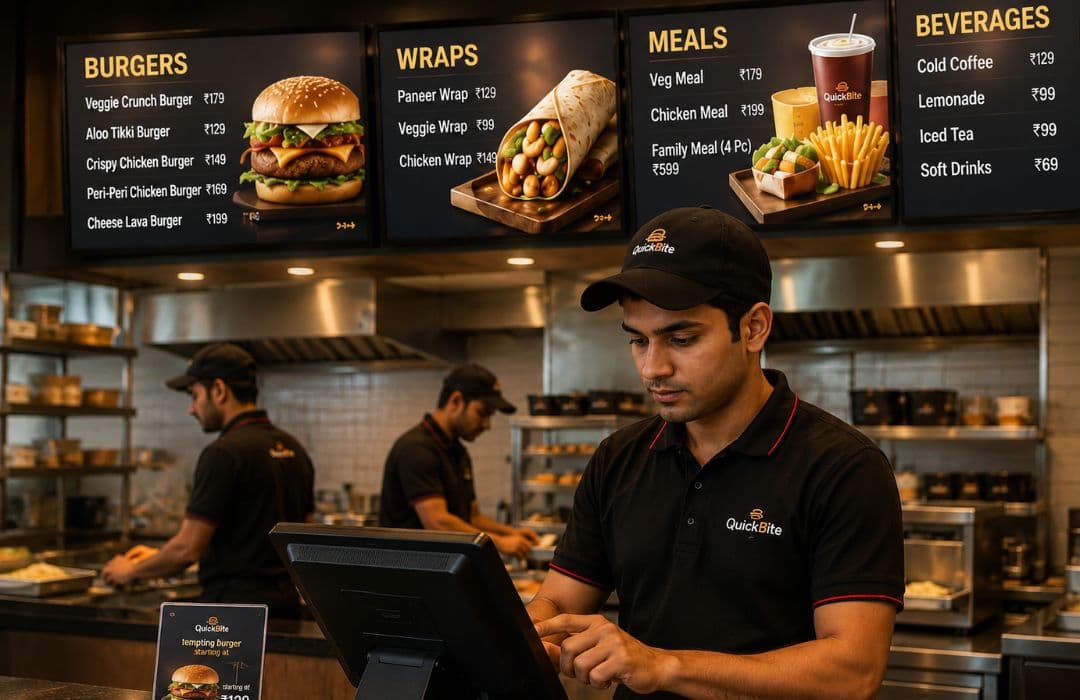
Imagine a chain of Quick Service Restaurants (QSRs) with multiple locations managing dozens of minor expenses each day. These include utility bills, cleaning supplies, small repairs, and payments to local vendors. Every outlet submits request after request, and managers, cluster leads, and the finance team must approve each transaction. On paper, something that appears straightforward quickly turns into a complex web of paperwork and delays.
Finance teams at the central office receive hundreds of approvals every day. When overspending is noticed, which is frequently at the end of the month, it is too late to take preventative action. In the meantime, processing costs subtly increase, store operations slow down, and urgent repairs are postponed.
This is where bulk budget allocation makes a difference. By giving each location pre-approved budgets for a set period, repetitive approvals are eliminated, visibility improves, and finance teams can focus on strategic decisions rather than chasing routine expenses, keeping operations smooth across all locations.
Why Processing Costs Are Escalating Across Multi-Store QSR Networks
Managing multiple locations comes with regular operational expenses like utilities, petty cash, minor maintenance, and local store activities. Processing every transaction manually is a cost-intensive and tedious task. This leads to:
Inconsistent Expense Control
Restaurants may exceed budgets or process unnecessary payments, which remain unnoticed until later, increasing overall costs.
High Volume of Small Transactions Increases Administrative Burden
Each outlet makes multiple small payments daily. Approving and recording each one manually takes time, slowing operations and increasing processing costs.
Limited Visibility and Difficult Expense Forecasting
When restaurant records are separate, central finance teams struggle to track overall spend. Overspending or missed approvals often go unnoticed until month-end. This makes it difficult to predict budgets and plan resources efficiently.
Manual Approvals Cause Delays and Mistakes
Payments requiring multiple levels of approval are slow and prone to errors, adding to the administrative burden.
How Bulk Budget Allocation Is Helping QSRs Improve Cost Control
Bulk budget allocation allows QSRs to give outlets pre-approved budgets for a set period. This reduces the need for frequent approvals, speeds up daily operations, and improves cost control.
With central oversight in place, finance teams can manage spending efficiently and forecast expenses more accurately while giving each location the flexibility it needs. Here’s how allocating in bulk helps:
Pre-Approved Budgets Reduce Approval Delays
When each restaurant receives a budget for a week, month, or quarter, it can manage routine payments without asking for approval each time. For example, an outlet may have a monthly petty cash budget covering utilities, cleaning, and minor repairs. Staff can make necessary payments immediately, avoiding delays in day-to-day operations.
This approach also reduces the workload for finance teams. Instead of approving every small transaction, they can focus on monitoring overall budget usage and analysing trends. This helps lower processing costs and improve operational efficiency.
Centralised Tracking Provides Better Oversight
With bulk budgets, finance teams can track spending across all stores in real time. Dashboards and reports show which restaurants are approaching their budget limits and which have unused funds.
This visibility allows managers to reallocate resources if needed. For example, a restaurant experiencing high footfall may need additional funds, while another with lower activity may have surplus budget. Consolidated tracking ensures that multi-store expense management is effective and that resources are used optimally.
Predictable Budgets Support Planning and Cost Control
Pre-approved budgets make it easier to forecast monthly or quarterly expenses. Finance teams can use historical spending patterns to allocate funds more accurately.
Predictable budgets also reduce last-minute budget requests, avoiding administrative bottlenecks. This approach strengthens cost control, allowing QSRs to manage their multi-store networks efficiently and maintain operational consistency.
What QSR Leaders Evaluate Before Adopting a Bulk Budget Allocation Model
Before adopting a bulk budget allocation system, QSR leaders assess whether it balances flexibility, control, and cost efficiency. The system must improve operations, provide oversight, and support cost control. Here’s a deeper look into an ideal model:
Ensuring Control and Compliance
Leaders check that budgets are used according to company policies. For example, petty cash should cover only operational needs. Overspending or misuse must be detectable, maintaining accountability and multi-store expense management.
Flexibility to Handle Ad Hoc Needs
Restaurants sometimes face urgent repairs or unexpected activity spikes. Leaders ensure the system allows quick ad hoc (as-needed) budget requests without slowing operations. This prevents bottlenecks and reduces processing costs.
Visibility Across Stores and Clusters
Real-time dashboards help monitor budget usage and spot trends. Cluster managers can quickly identify stores that exceed or underuse budgets, supporting timely decisions and cost control.
Clear Roles and Responsibilities
Leaders confirm that responsibilities are well defined. Custodians, store managers, and finance staff should know their tasks and have the necessary approvals. Clear roles reduce errors, improve efficiency, and maintain accountability.
Operational Impact and Efficiency
The system should streamline approvals and reduce workload. Pre-approved budgets allow routine payments without delays, improving store operations and multi-store expense management.
How Zaggle Enables Cost-Efficient Budget Allocation for QSRs
Zaggle provides QSRs with a structured solution to manage bulk budget allocation efficiently. It combines configuration, workflows, and operational support to help stores control spending while giving finance teams full visibility.
Configurations and Controls for Accurate Budgeting
Zaggle allows QSRs to set up master data across all locations and formats. Clear user roles, including Custodian, Store Manager, Cluster, and Finance, ensure accountability at each level. Spend categories and sub-limits provide detailed control over how budgets are used, preventing overspending and improving cost control.
Flexible Budget Allocation and Workflows
Stores can receive budgets daily, monthly, quarterly, seasonal, or annually. Ad hoc budget request workflows allow urgent requirements to be managed without delays. Zaggle also supports bulk budget allocation as a custom enhancement and a loading fee model instead of per-transaction fees, reducing administrative effort and processing costs.
Governance Through Mandatory Bill Upload and Policy Checks
All expense submissions require mandatory bill uploads, and automated policy checks ensure compliance with company rules. This reduces errors, enforces accountability, and improves multi-store expense management.
Adoption Support and Operational Assistance
Zaggle includes training videos to help teams adopt the system quickly. On-ground support and a help desk provide operational assistance for day-to-day challenges, ensuring smooth implementation and ongoing efficiency.
Real-Life Success: How Zaggle Helped AZA Fashions Streamline Multi-Store Expenses
Zaggle helped AZA Fashions, a leading Indian luxury retail brand, simplify spend management across multiple stores. Their finance team struggled with manual petty cash reconciliation and limited visibility into branch-level spending.
With Zaggle, AZA Fashions experienced:
20% decrease in monthly operating spends
25% less manpower required for petty cash
30% reduction in cash leakages
90% of branch-level petty cash digitised in real time
5+ hours saved per month in petty cash reconciliation
This enabled the team to focus on strategic financial planning rather than operational tasks. This success story shows how bulk budget allocation improves efficiency and cost control, with lessons that are equally applicable to QSR chains. In fact, leading Indian QSRs like Subway and Sapphire Foods have also benefited greatly from integrating this solution to digitise multi-location recurring spend management.
Zaggle supports effective bulk budget allocation with centralised configurations, clear user roles, and flexible workflows. Combined with hands-on operational support, it enables QSRs to control spending, maintain compliance, and manage budgets efficiently across all stores.
Frequently Asked Questions
How does bulk budget allocation help QSRs handle multiple stores efficiently?
Bulk budget allocation allows finance teams to provide pre-approved funds to all stores at once. This reduces repetitive approvals, ensures smooth day-to-day operations, and allows managers to focus on service and sales rather than routine spending tasks.
What are the common challenges stores face without bulk budget allocation?
Without a bulk allocation model, stores face delayed payments, fragmented spending visibility, and increased administrative work. Manual approvals for every expense can slow operations and increase processing costs across the network.
Can bulk budget allocation improve cash flow planning?
Yes. By allocating budgets in advance, finance teams can forecast monthly and quarterly expenses accurately. Predictable allocations reduce emergency fund requests and help in planning resources efficiently across all stores.
How can QSRs manage multi-store budgets efficiently with Zaggle’s services?
Zaggle supports QSRs in allocating pre-approved budgets across stores while offering real-time visibility of spending. Automated workflows, mandatory bill uploads, and policy checks reduce manual approvals and petty cash reconciliation. Centralised dashboards give finance teams better oversight, while stores continue daily operations without delays. This helps improve cost control, reduce processing costs, and simplify multi-store expense management.
Zaggle Admin
Expert contributor and editor at the Zaggle Knowledge Hub, specializing in corporate spend management, expense compliance, and B2B fintech solutions.
In This Article
You May Also Like

4 Ways to Prevent Petty Cash Shrinkage Digitally
Posted on : Sep 29, 2026
UPI for Business: What Finance Teams Should Set Up Before Rolling It Out to Employees
Posted on : Sep 25, 2026
How Automated Dashboards Improve Decision-Making for Retail CFOs
Posted on : Aug 18, 2026